
Microsoft Secure Boot Certs Expire June 24
Microsoft's 2011 Secure Boot certificates start expiring June 24, 2026. Devices that miss the update lose future boot-level security patches. Here's what to check.
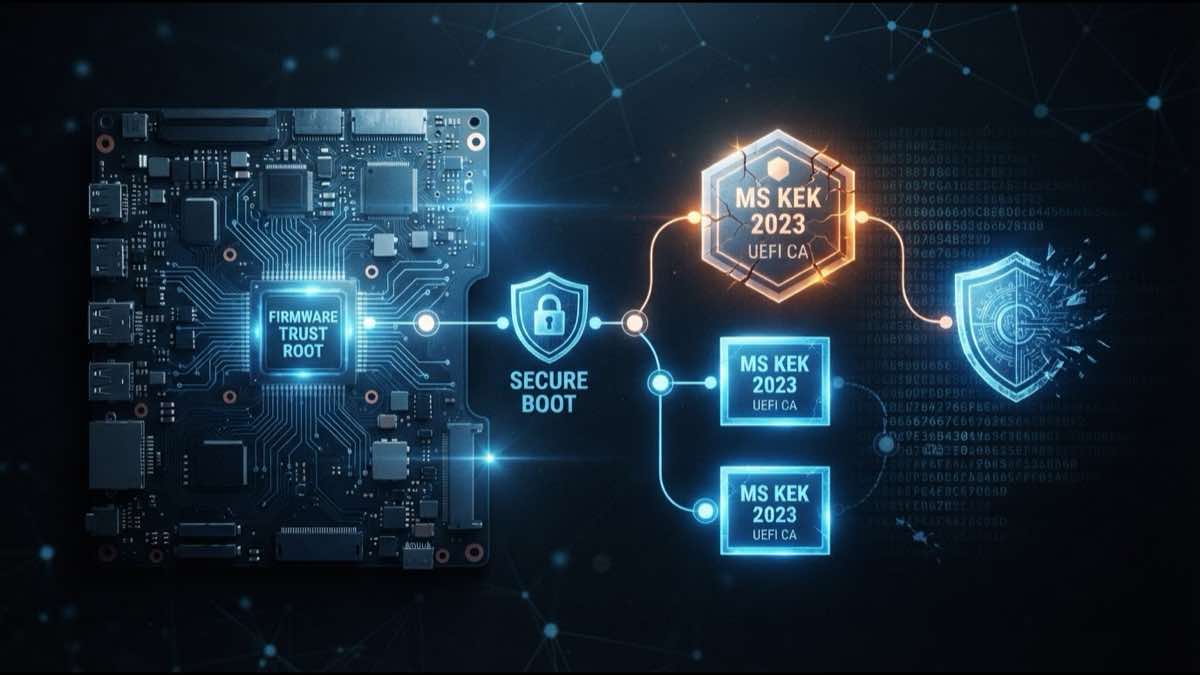
Twenty days from now, the first of three Microsoft Secure Boot certificates reaches its expiration date. The Microsoft Corporation KEK CA 2011, issued when Windows 8 was still in development, expires on June 24, 2026. Two more follow close behind: the Microsoft UEFI CA 2011 on June 27, and the Microsoft Windows Production PCA 2011 on October 19.
These certificates have been baked into UEFI firmware on virtually every Windows PC shipped since 2012. They form the trust anchor for Secure Boot, the mechanism that verifies your operating system’s boot loader before Windows starts. When they expire, they don’t take your computer with them. But devices that haven’t received the replacement certificates will quietly stop getting boot-level security updates going forward.
What Secure Boot actually protects against
Secure Boot runs before Windows loads. It checks that the boot loader and early startup components carry valid signatures from a trusted certificate authority. If something unsigned or signed by an unknown party tries to insert itself into the boot process, Secure Boot blocks it.
This matters because boot-level malware (bootkits) operates underneath everything else on the system. A bootkit loads before your antivirus, before Windows Defender, before BitLocker. It can disable all of those tools silently.
BlackLotus proved the point in 2023. It exploited CVE-2022-21894 to bypass Secure Boot on fully patched systems, then disabled BitLocker, Hypervisor-Protected Code Integrity, and Defender before Windows finished loading. Microsoft patched the underlying flaw but has been rolling out Secure Boot hardening gradually ever since, because revoking the wrong boot components can brick machines.
The June 2026 certificate rollover is both a scheduled lifecycle event (the 2011 certs were always going to expire) and a prerequisite for continuing that hardening work.
What happens if you miss the deadline
Nothing dramatic on June 24 itself. Your PC boots normally. Windows Update still works. Day-to-day usage continues.
What changes is invisible: the device can no longer receive new security protections for the early boot process. That includes updates to Windows Boot Manager, Secure Boot databases, revocation lists, and fixes for newly discovered boot-chain vulnerabilities. Microsoft’s support documentation puts it plainly: the device “will no longer be able to receive new security protections” for the boot process.
Over months and years, that gap widens. New bootkits get discovered. Microsoft issues new signed boot components and revokes vulnerable old ones. Devices stuck on the 2011 trust chain can’t participate in any of it.
The rollout is mostly automatic
Microsoft has been pushing replacement certificates (dated 2023, valid through 2038) through regular Windows updates. A scheduled task on your machine runs every 12 hours and applies the update in stages: first it adds the new UEFI CA to the firmware’s signature database, then the new KEK, then it swaps the boot manager to one signed by the 2023 certificate.
The full process takes roughly 48 hours and at least one restart. For most home users with automatic updates enabled, it has already happened or will happen silently before the deadline.
Starting with the April 2026 cumulative update, the Windows Security app shows your Secure Boot certificate status under Device Security. A green badge with the right text confirms the transition completed. Microsoft warns that the green checkmark alone isn’t sufficient; read the actual status message.
Where things go wrong
A few types of machines are likely to miss the transition.
Older PCs with outdated firmware are the most common problem. Some UEFI implementations from 2012 to 2015 don’t handle the new certificates properly and need a BIOS update from the manufacturer first. If the manufacturer has stopped issuing firmware updates for your model, you may be stuck.
PCs that had Secure Boot disabled to install Windows 11 through unofficial workarounds are also affected. The certificate update requires Secure Boot to be active.
Machines running Legacy BIOS or UEFI with Compatibility Support Module (CSM) enabled aren’t using Secure Boot at all, so this update doesn’t apply to them. They were never protected by Secure Boot in the first place.
Some configurations trigger BitLocker recovery prompts after the Secure Boot variables change. Microsoft says BitLocker itself isn’t being disabled, but recommends having your recovery key accessible before the transition.
What to do right now
Check your status. Open Windows Security, go to Device Security, and look at the Secure Boot section. If it confirms the 2023 certificates are in place, you’re done.
If it doesn’t, make sure Windows Update is current. Install any pending updates and restart. Give the scheduled task 48 hours to work through its stages, then check again.
If your PC is older (manufactured before 2024), visit your manufacturer’s support page and look for a BIOS or firmware update. This is the most common blocker.
Don’t disable Secure Boot. It removes the protection entirely instead of updating it.
Certificates people forget about are the ones that hurt
This is what always happens with long-lived certificates. They ship with hardware, sit in firmware for a decade, and nobody thinks about them because they just work. Then they expire. And the devices that haven’t been updated quietly lose security protections with no visible warning.
TLS certificates on web servers do the same thing on a shorter timeline. The certificate works fine until it doesn’t, and by then your site is down or your users are seeing browser warnings. With TLS lifetimes now at 200 days and headed to 47 days by 2029, there’s less room to catch an expiration before it catches you.
SSLcalendar.com sends reminders before your TLS certificates expire. SSLboard.com adds chain validation and vulnerability scanning if you want to monitor more than just dates.
Sources: Microsoft Tech Community: Act Now: Secure Boot Certificates Expire in June 2026, Microsoft Support: Windows Secure Boot Certificate Expiration and CA Updates, Malwarebytes: Your Windows PC Has a Security Deadline in June 2026, XDA Developers: Microsoft’s Secure Boot Certificates Expire in June 2026